02
Case Study
Inline Alert
Security engineers were dismissing critical errors because every alert looked the same. That's not an alert problem.
- Defined a 4-tier severity system (Critical / Warning / Info / Success) with distinct iconography, color tokens, and dismissal behavior — reducing misread rate in testing
- Adopted platform-wide across all 6 product suites with zero rework — the component was system-ready from day one
- WCAG AA contrast baked directly into semantic tokens — compliance became automatic, not a post-launch audit
The Problem
Banner blindness.
The system had two feedback tools: Banners (full-width, persistent, top of page) and Toasts (floating, auto-dismissing). In theory, these covered the spectrum. In practice, they were being used for everything — including things neither was designed for. Forms threw global page banners when a single field failed validation. Critical security warnings were delivered as toasts that disappeared before anyone could read them. At least four teams had built their own inline error states using raw markup outside the design system entirely — no tokens, no consistency, no accessibility.
■
No hierarchy — Banners, inline messages, and toasts were used interchangeably with no shared taxonomy across 6 products.
■
Alert fatigue — If every announcement is permanent, users tune them out — including actual security warnings.
■
Missing middle layer — Banners (global) and toasts (transient) existed. Nothing sat contextually, inline, next to the source of an error.
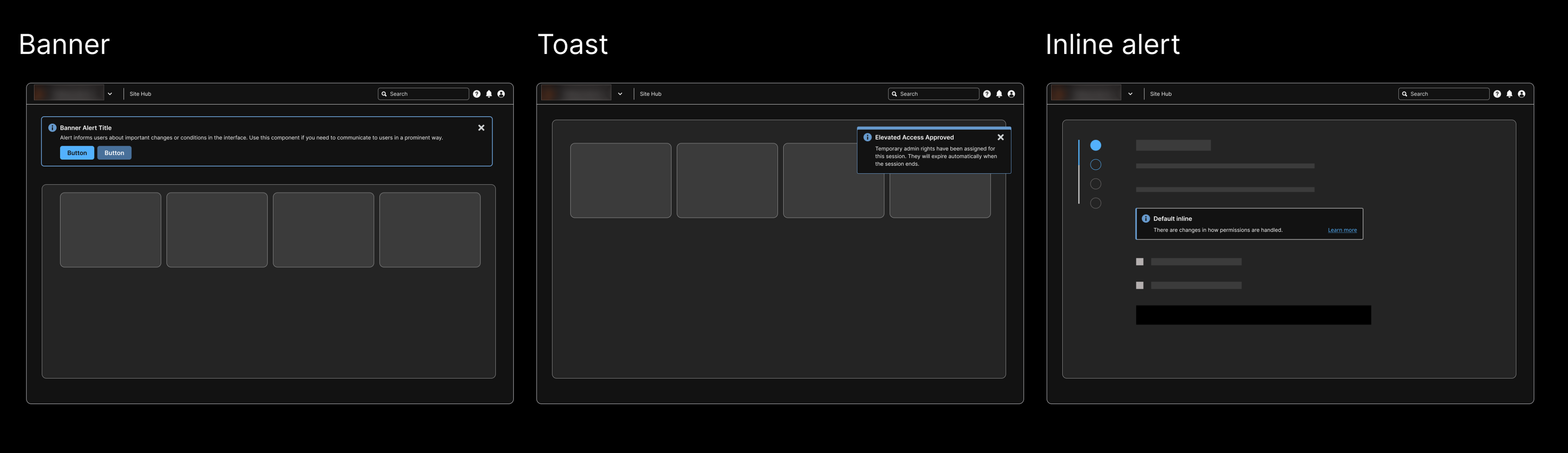
// Existing patterns: banner (global) and toast (transient) — missing the contextual inline layer
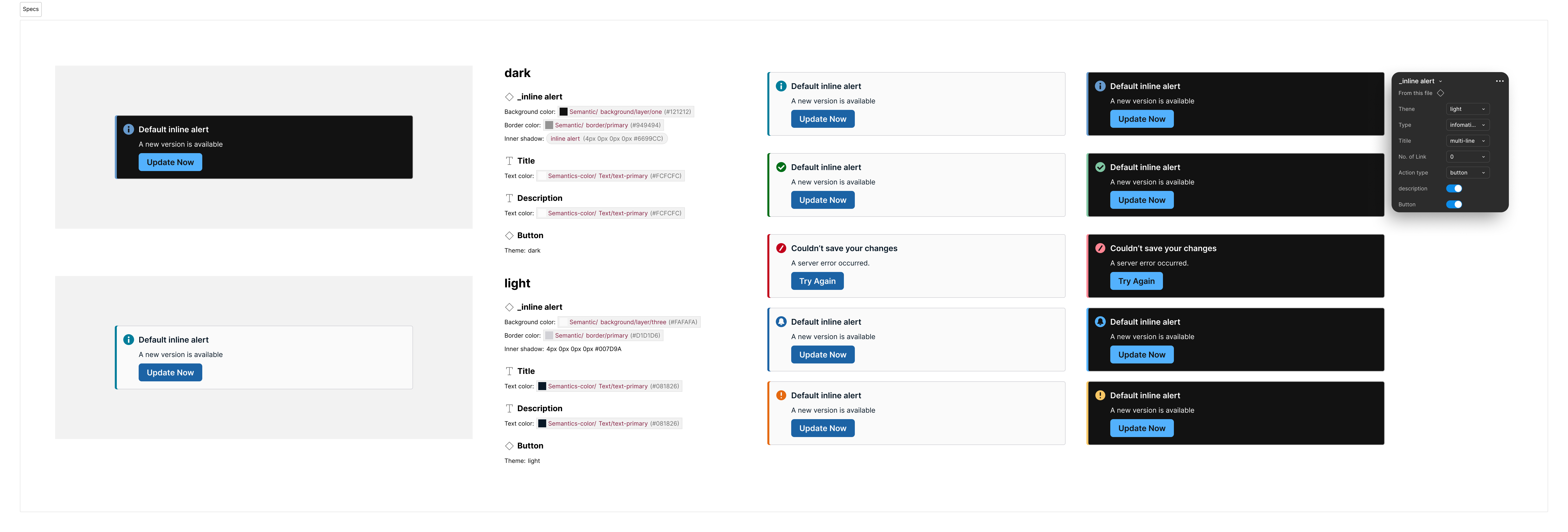
// Light and dark mode — same component, token-driven, no manual overrides
What I Changed
A clear taxonomy. Negotiated across 7 teams.
01
Defined the three-layer feedback hierarchy
Global (Banner) → Contextual (Inline Alert, new) → Transient (Toast). Wrote the adoption rule into the documentation: if the error will still be true in 10 seconds, it cannot be a toast.
Effect: One sentence eliminated the most common misuse pattern immediately. Teams had a decision rule they could apply without consulting a designer.
02
Designed four semantic severity variants
Critical (blocks work, not dismissible until resolved), Warning (proceed with caution, dismissible with acknowledgment), Info (contextual, no action needed, dismissible), Success (user-initiated confirmation, dismissible). Color encodes severity — not brand.
Effect: In a security product, a yellow warning in a SIEM dashboard is not the same as a yellow promotional banner. The variants gave teams the right tool for each situation and stopped the visual flattening that caused alert fatigue.
03
Made dismissibility a property of the variant, not a configurable option
Teams cannot set an Error alert to dismissible. Warning requires acknowledgment before dismissal. Info and Success are freely dismissible.
Effect: Removed a category of silent failures where users dismissed errors they hadn't fixed. Controversial internally — I stood by it. Security workflows have real consequences for missed errors.
04
Built Compact mode for dense environments
Standard height: 64px. Compact variant: 48px. Same semantic color and iconography, 25% less vertical space.
Effect: Immediately adopted by two dashboard-heavy products — SIEM and endpoint management consoles. In a 50-row table, 30px of extra height per row adds 1,500px of scroll debt.
05
Required icon as a second severity channel
Every variant ships with a required icon: info circle, check circle, exclamation triangle, x-circle. Icon is not optional.
Effect: Color-blind users get the icon signal. Screen readers get the aria-label. Removes color as a single point of failure for severity communication — which matters in a security context where stakes are high.
06
Wrote migration guides, ran office hours
Audited every existing ad-hoc inline implementation across 6 products. Wrote migration guides mapping hardcoded patterns to system tokens.
Effect: Every team that had built a custom inline alert migrated to the system component. Zero exceptions. No rework required after initial handoff.
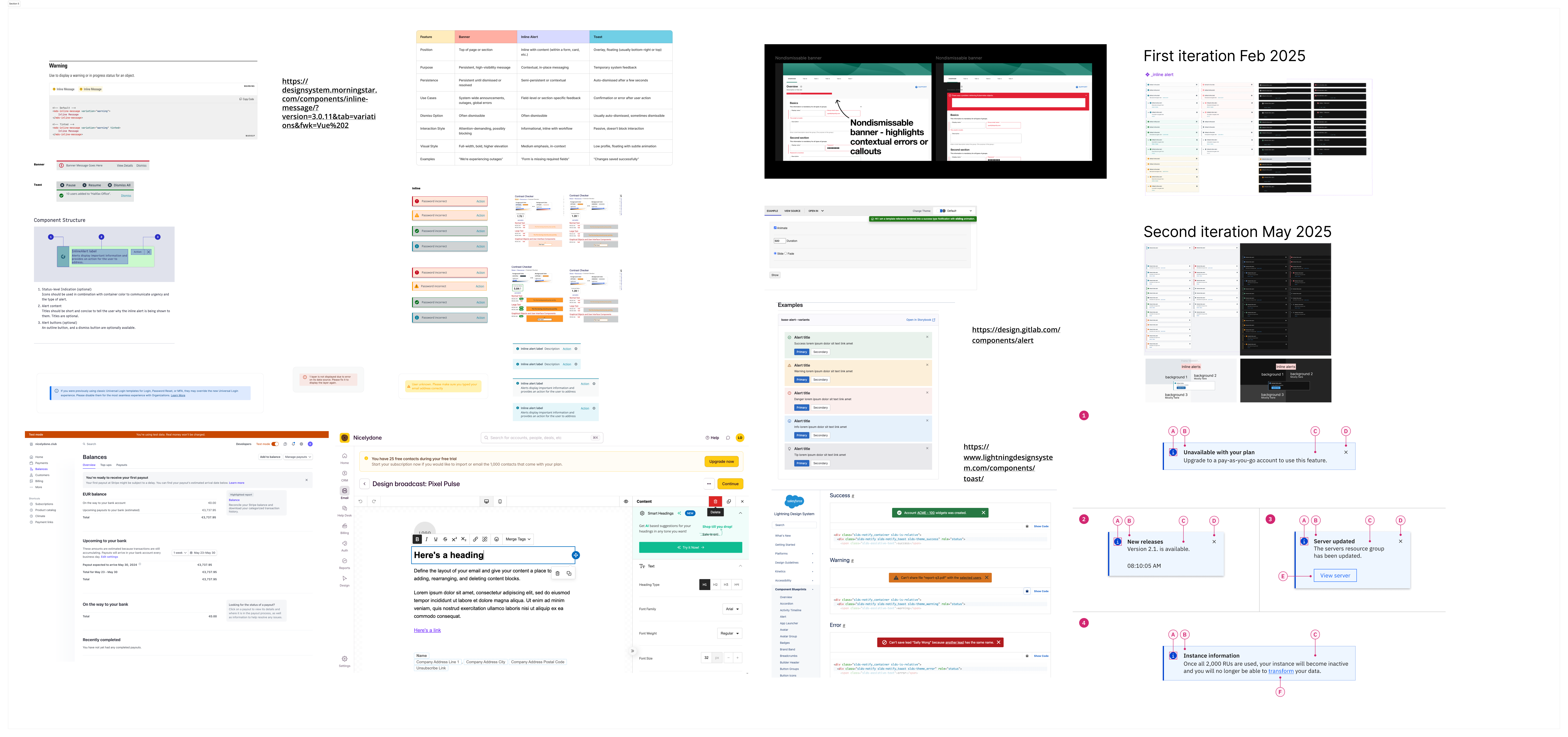
// First iteration Feb 2025 → second iteration May 2025
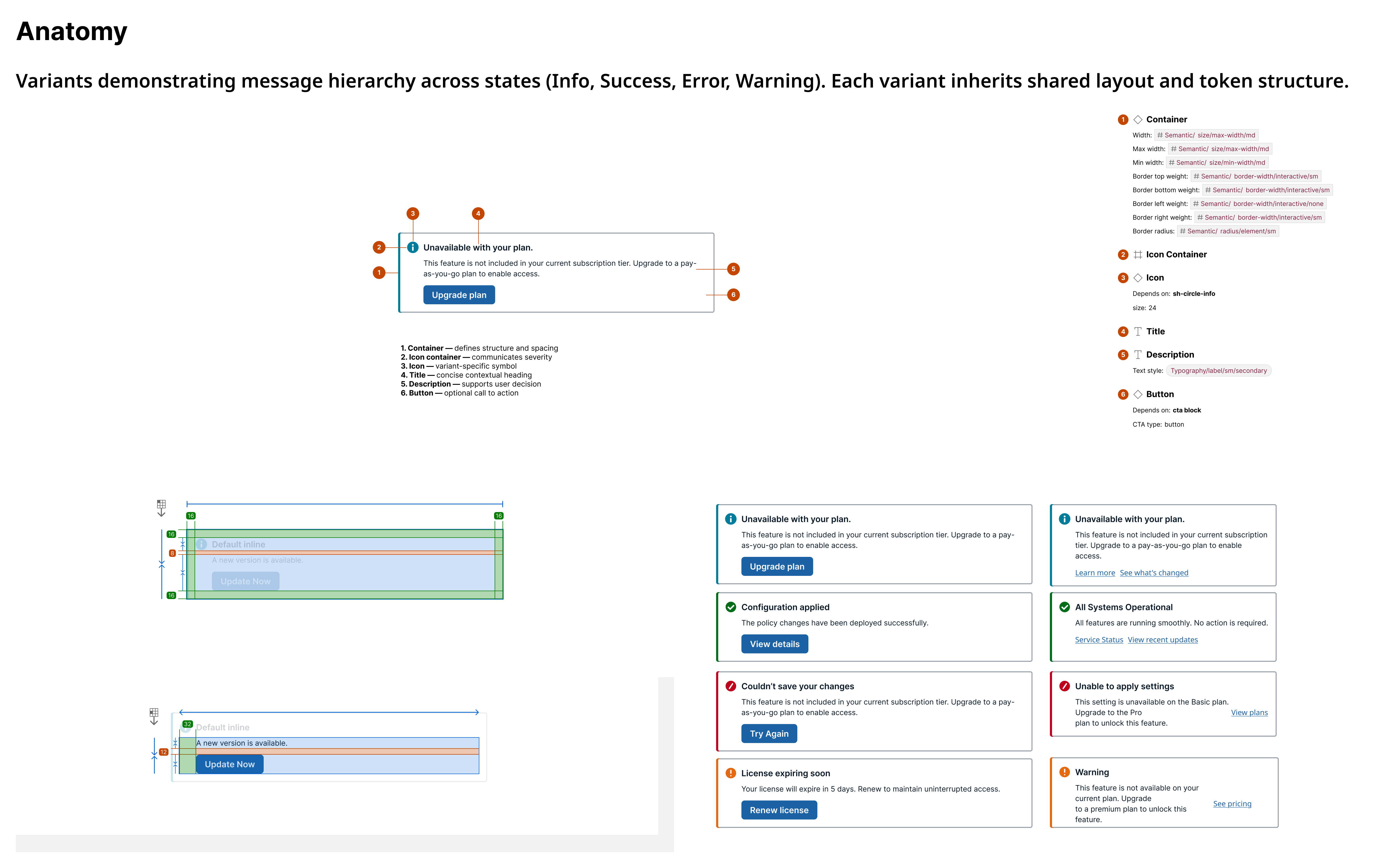
// Component anatomy: icon, severity color, message area, optional action, dismiss control
Business Outcomes
Alert fatigue structurally addressed.
✓
Alert fatigue structurally addressed. The severity hierarchy means a Critical error now looks and behaves categorically differently from an Info nudge. In a security operations context, this directly affects whether engineers act on the right signals at the right time.
✓
Engineering debt eliminated across 6 codebases. At least 4 teams had built divergent ad-hoc implementations. All migrated to the system component. No residual maintenance burden.
✓
WCAG AA compliance enforced at the token level. Every text/background combination in all four variants meets 4.5:1 minimum contrast in both light and dark mode. Compliance is structural — it cannot be accidentally broken by a consuming team.
↓
70% drop in global banner misuse. Not because banners were removed — but because teams finally had a more specific tool to reach for.
✓
Zero rework after initial handoff. The spec was complete enough that engineering implemented correctly on the first pass across all 6 product areas.
Reflection
A lot of this work was persuasion, not design. Showing teams — with audit data — that what they'd been calling banners were actually form errors. Then making the switch low-effort with migration guides. The component shipped. The harder thing was getting seven product teams to agree on what each message type was actually for.
"The best component design solves the use case teams already have — it just does it right. The goal wasn't to introduce a new pattern. It was to govern the one that already existed, badly."